

Get Out of the Actionstep Document Regeneration Loop with Actionstep Builder
When your document logic gets complex, Actionstep starts to falter.
Generate. Field error. Fix. Regenerate. Stress about all the time you’re wasting.
If you've felt that loop, you've outgrown Actionstep native templates. Actionstep Builder is your way out.
Mauve Morpho is the team Actionstep has relied on to train and implement Builder for law firms from the start. Let’s see if Builder is the right call for your firm.
What You're Doing Now vs. What You Could Be Doing with Builder Instead
Before Builder:
Open the matter. Scroll through 200+ fields. Try to remember which ones apply to this matter.
Generate the template. Get a document with blank sections and wrong data. Go back. Fill in what you missed. Generate again. Find another missing field. Generate again.
Watch your limited time fly by and hope nothing else is wrong.
After Builder:
Open the questionnaire. Answer the questions the system surfaces (usually around thirty for a complex matter). Generate. Done.
No More Scrolling Through 200 Fields to Find the 30 That Matter
Actionstep Builder turns document creation into a guided system. Instead of scrolling through every possible field a template might use, your team answers a dynamic questionnaire that only surfaces what's actually relevant to this matter.
Reliable PDF generation. Court forms, government filings, immigration paperwork, etc. are generated as proper PDFs ready to file, not Word documents pretending to be PDFs.
Advanced conditional logic. Nested conditionals. Repeat blocks inside conditionals. Branching paths that surface different questions based on previous answers.
Multi-document generation. A single estate planning intake can produce a will, a power of attorney, a healthcare directive, and the trust documents all in one pass.
Get notified when important information is missing.
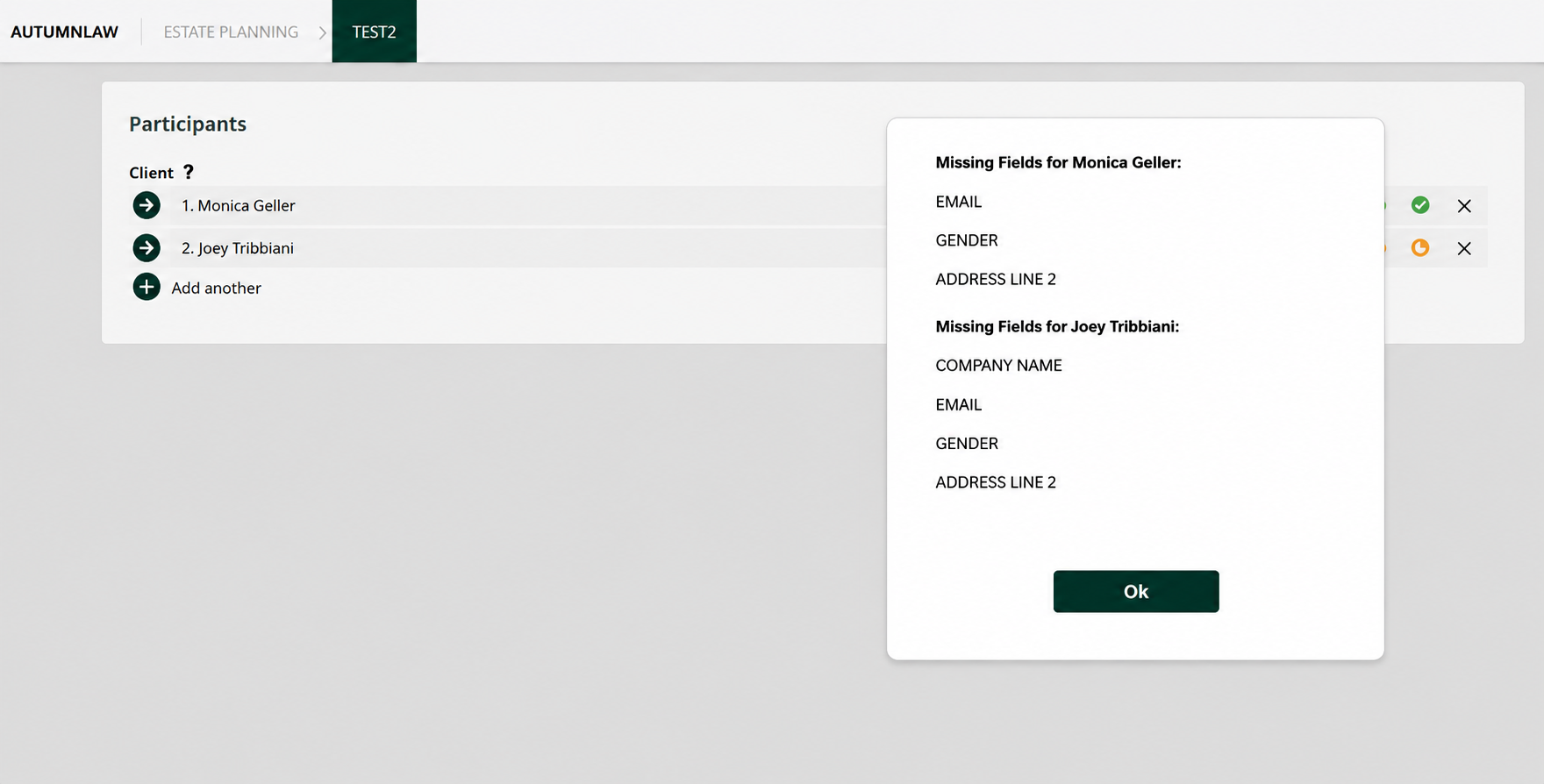
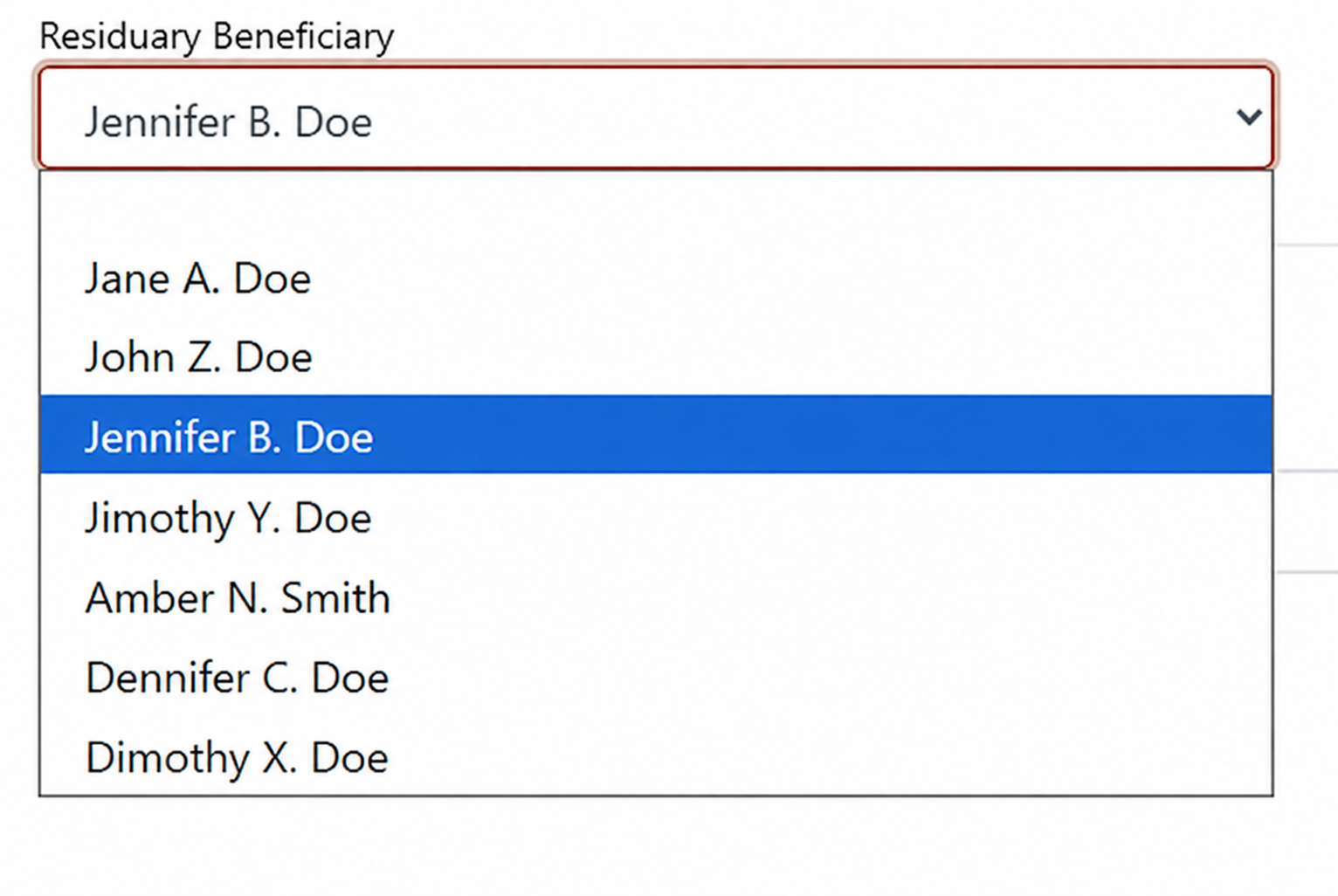
Select from a list of all participants on the Matter at the time of the interview to fill any role in your templates.
Who Can Use Builder? Firms That Have Outgrown Native Actionstep for Document Formatting & Filing
Builder is for firms running high-volume, branching document workflows. If your documents branch into multiple paths or need PDF output for filing, Builder is worth a look.
If your templates are simple — a retainer, a standard letter, a basic contract — you probably don't need this. Native Actionstep will do the job.
Coming from Hot Docs?
If your firm used Hot Docs for advanced document logic (nested conditionals, repeat blocks, branching paths that change based on case details) Builder is the modern equivalent inside Actionstep. Same kind of complex template work, built into a current case management platform instead of bolted onto one.
The use cases are familiar: estate planning matrices, court form libraries, immigration packets, employment contract variations. If that's the kind of template work your firm depends on, Actionstep Builder is worth looking into.
Why Mauve Morpho? Actionstep's Builder Expert Works Here.
Most Actionstep consultants can’t implement Builder. There are maybe three groups in the world (at the time of this writing) who understand this tool at the level required for complex production builds, and we're one of them.
Autumn on our team knows Builder better than anyone. Autumn recorded most of the official training videos Actionstep publishes for Builder, and we've handled enough Builder implementations to know exactly where firms get stuck. So we built the best way to help you through it with our Starter Pack.
The Actionstep Builder Starter Pack
$1100
What’s included:
A secure connection created between Actionstep and Builder with catalogs established within Builder for up to 10 matter types.
Installation of our Starter Pack, which includes a ready-made list of helpful fields, best practice examples for creating complex fields, examples of interviews, formulas, and other reference tools to help you make the most of your new Builder system.
A 1-hour introductory training session on Builder basics, tailored to your team’s needs and priorities.
A 30-minute follow-up call for Q&A and to address more complex topics of training, scheduled within 4 weeks from the initial training session.
* Document template coding is not included. All other template, training, and support work not included in items 1 – 4 of the initial scope is billed at our standard hourly rate.
Frequently Asked Questions
-
Yes. Builder is an Actionstep add-on, not a standalone tool. If you're not on Actionstep yet but you're shopping for case management software and you know you need this kind of document automation, we can talk through whether Actionstep plus Builder is the right fit. We do work with other software options though. If you just need document templates, Knackly could be a good fit too.
-
It depends on your templates. If your documents branch into multiple paths, generate as PDFs for court or government filing, or have complex conditional logic — likely yes. If your templates are simple and stable, native Actionstep will probably do the job and Builder is overkill. Find out in a free consultation with us.
-
For most firms running advanced Hot Docs templates, yes — Builder handles the same kind of logic Hot Docs is known for, and it lives directly inside Actionstep. Every firm's template library is different, so the practical answer depends on what you're running today. It could be that HotDocs was already overkill. Get on a call with us and we'll walk through your current setup and what a transition would look like.
-
Builder licensing is paid to Actionstep and varies based on how many users in your firm need access. Our build work is scoped based on the complexity of your template library — a firm with thirty branching estate planning templates is a different project than one with five court forms. The Starter Pack is a flat $1,100 and gives you the foundation to work on some of your own templates either way.
-
The Starter Pack installs quickly. Custom template work depends on volume and complexity. A focused estate planning build typically runs weeks, not months. A full migration of a large template library takes longer. We'll give you a timeline after scoping.
-
Yes. Actionstep’s built-in template tool is already far stronger than many of the competitors. If you just need it to do one more thing, do some basic math, a single nested conditional, or handle just a couple small weird things, there’s a good chance we can use advanced Actionstep settings like PHP custom fields to push your templates farther than you ever suspected. Builder just makes it much easier to do those advanced things, but we’ve already taken firms from hundreds of templates to dozens using the original built in template tool.
-
Email templates stay in classic Actionstep templates, but we can still help you push those much further than you probably expected using the built in tools. If you needed an extremely long template for an email, we could generate a document to copy and paste from or maybe even display what you need inside a Builder interview without actually generating anything.
That trial-and-error loop won’t fix itself.
If your documents are getting complicated and native Actionstep just isn’t cutting it, let’s get you set up with the Actionstep Builder Starter Pack.